- 1
Start from your flight
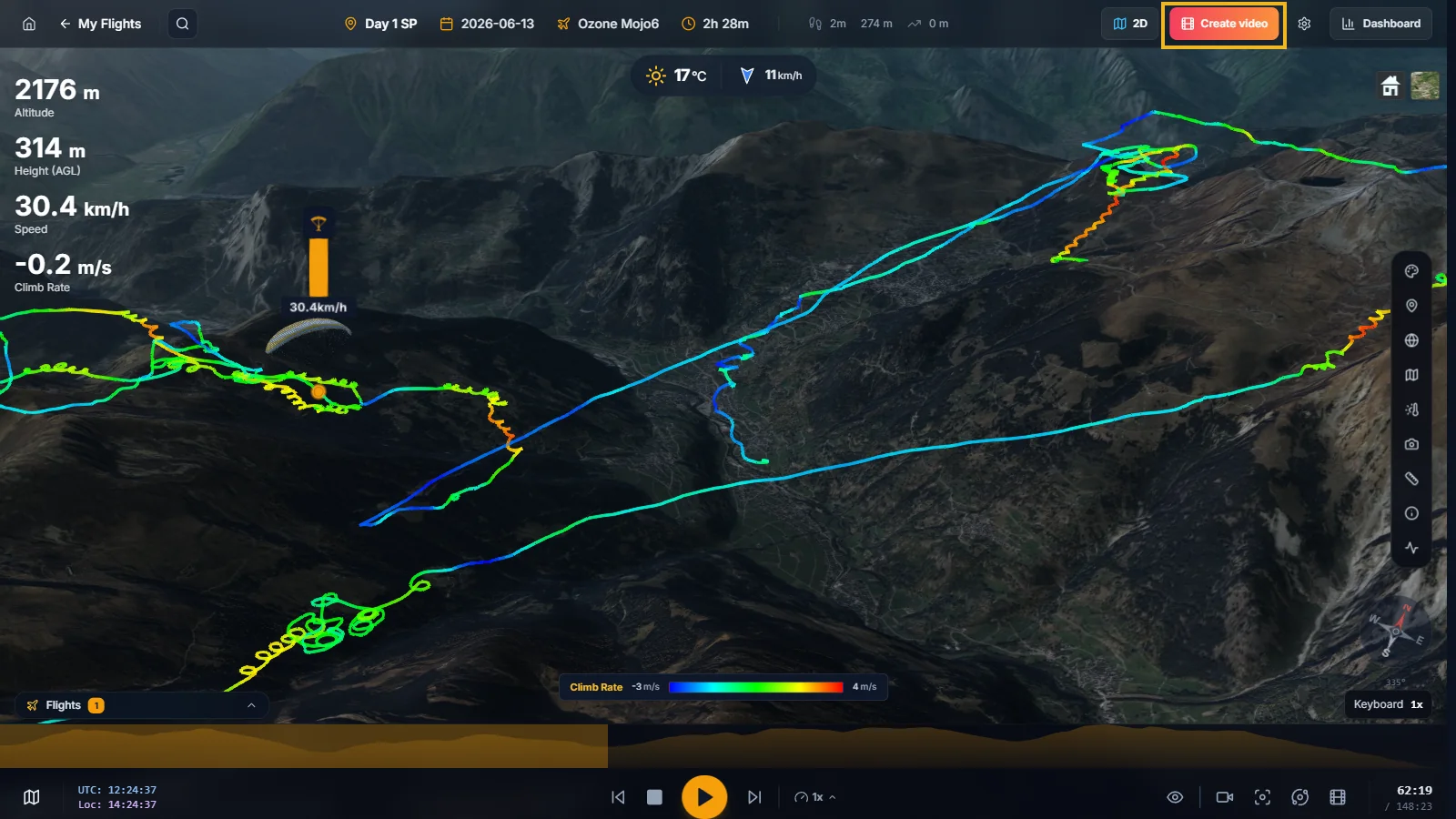
Open a flight in 3D and click Create video in the top bar, or use Create video directly from your logbook.
XCviewer analyzes the flight and finds the key moments: takeoff, best thermals, maximum altitude, long glides and landing.
- 2
Pick a style and a format
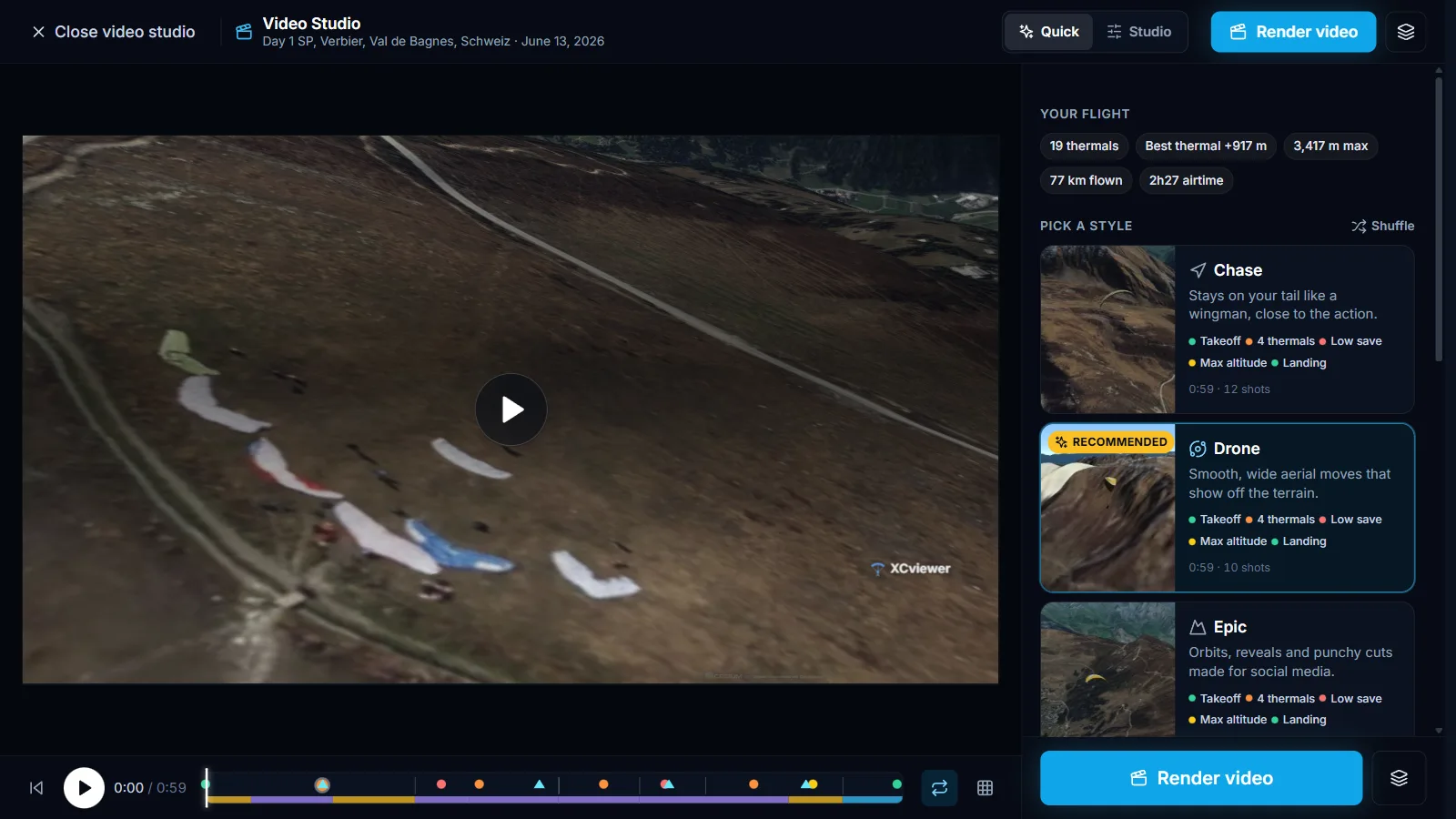
Choose between three styles: Chase stays close to your wing, Drone uses wide aerial moves and Epic adds orbits and punchy cuts.
Select the format for your platform (Reels and TikTok, YouTube, square or feed post), the length of the clip and the overlay theme.
Use Shuffle to generate new variations of the three styles.
- 3
Fine-tune in Studio
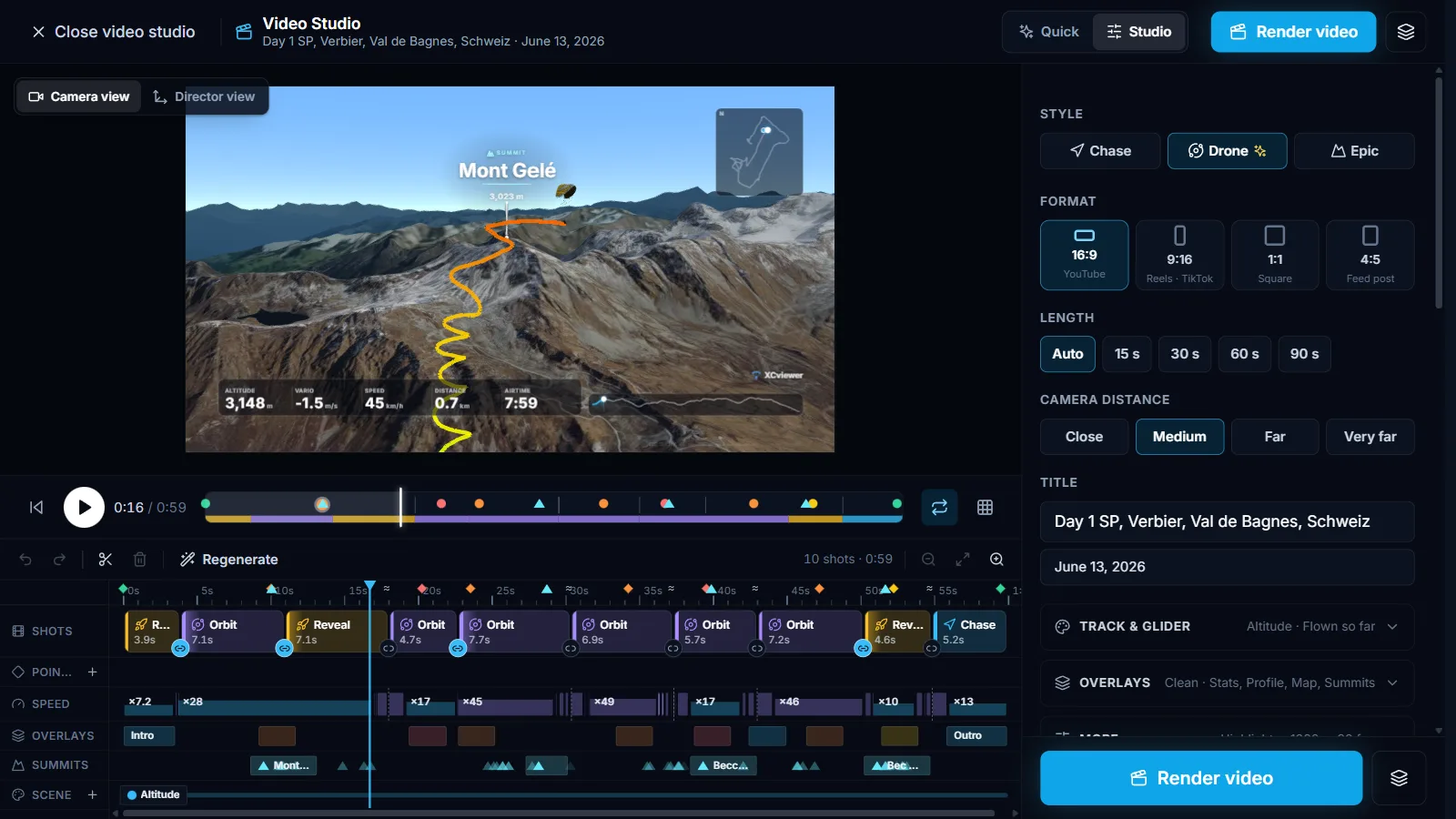
Switch to Studio to edit shot by shot on the timeline: change camera moves, timing and transitions, and adjust the overlays.
Add your own music: the cuts follow the beat automatically.
- 4
Render and share
Click Render video. The video is rendered directly on your device, so keep the tab open until it is done.
Download the file or share it directly, with a ready-made caption that includes your flight stats.