- 1
Get the IGC file from XCTrack
XCTrack records every flight as an IGC tracklog on your Android phone. The files are stored in the folder Android/data/org.xcontest.XCTrack/files/Tracklogs, one file per flight, named with the date.
Recent Android versions hide the Android/data folder from most file manager apps. If you cannot open it, connect the phone to a computer with a USB cable and copy the file from there, or upload the flight to XContest from XCTrack and download the IGC file from your flight page on XContest.
XCviewer is an independent tool, not affiliated with XCTrack or XContest. It simply reads the standard IGC file that XCTrack produces.
- 2
Upload it to XCviewer
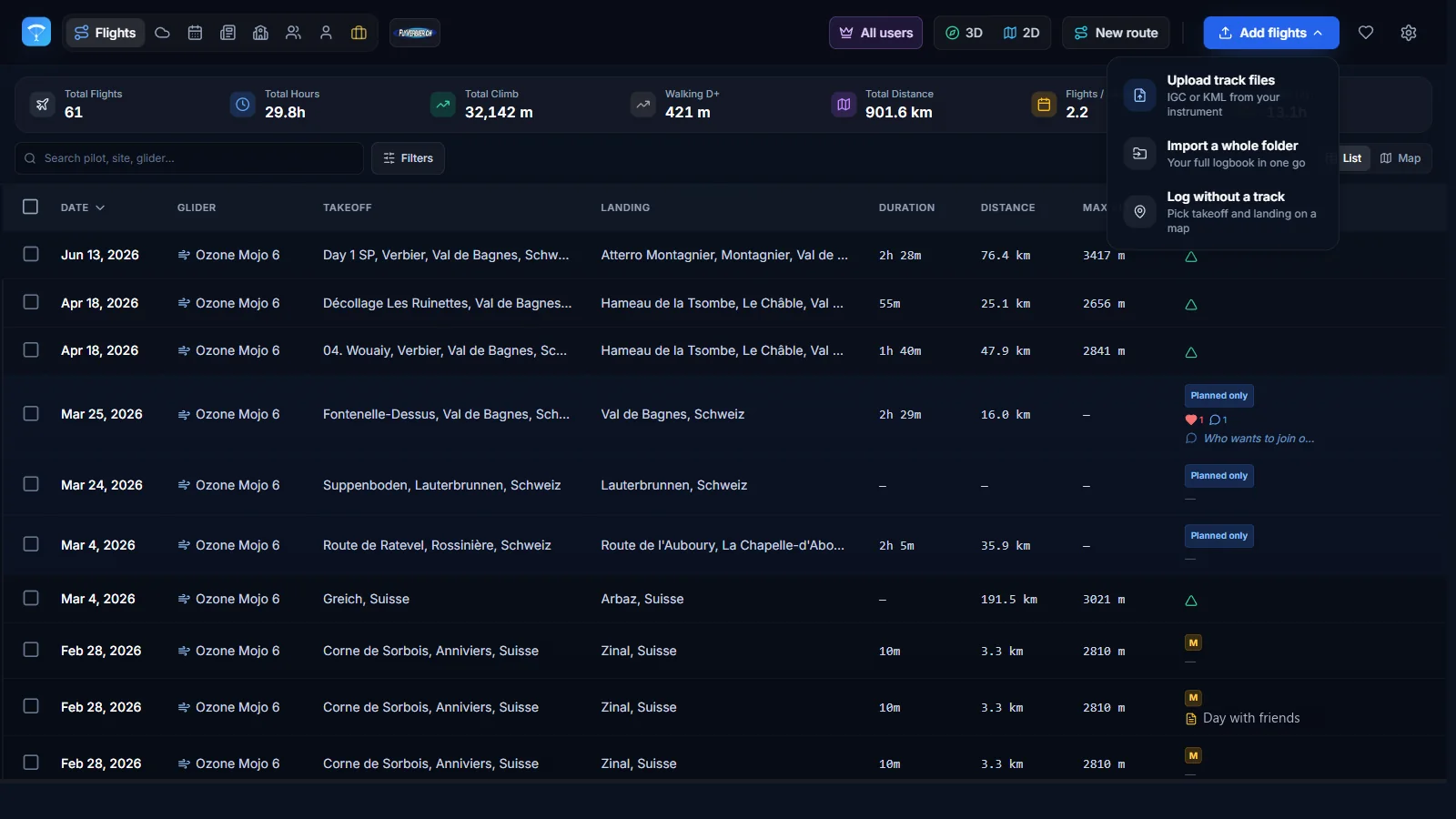
Sign in to XCviewer, open My Flights and click Add flights, then Upload track files. Pick the .igc file from your phone or computer.
You can select several files at once. XCviewer detects the takeoff site, date, duration, distance and maximum altitude automatically and skips duplicates.
- 3
Replay the flight in 3D
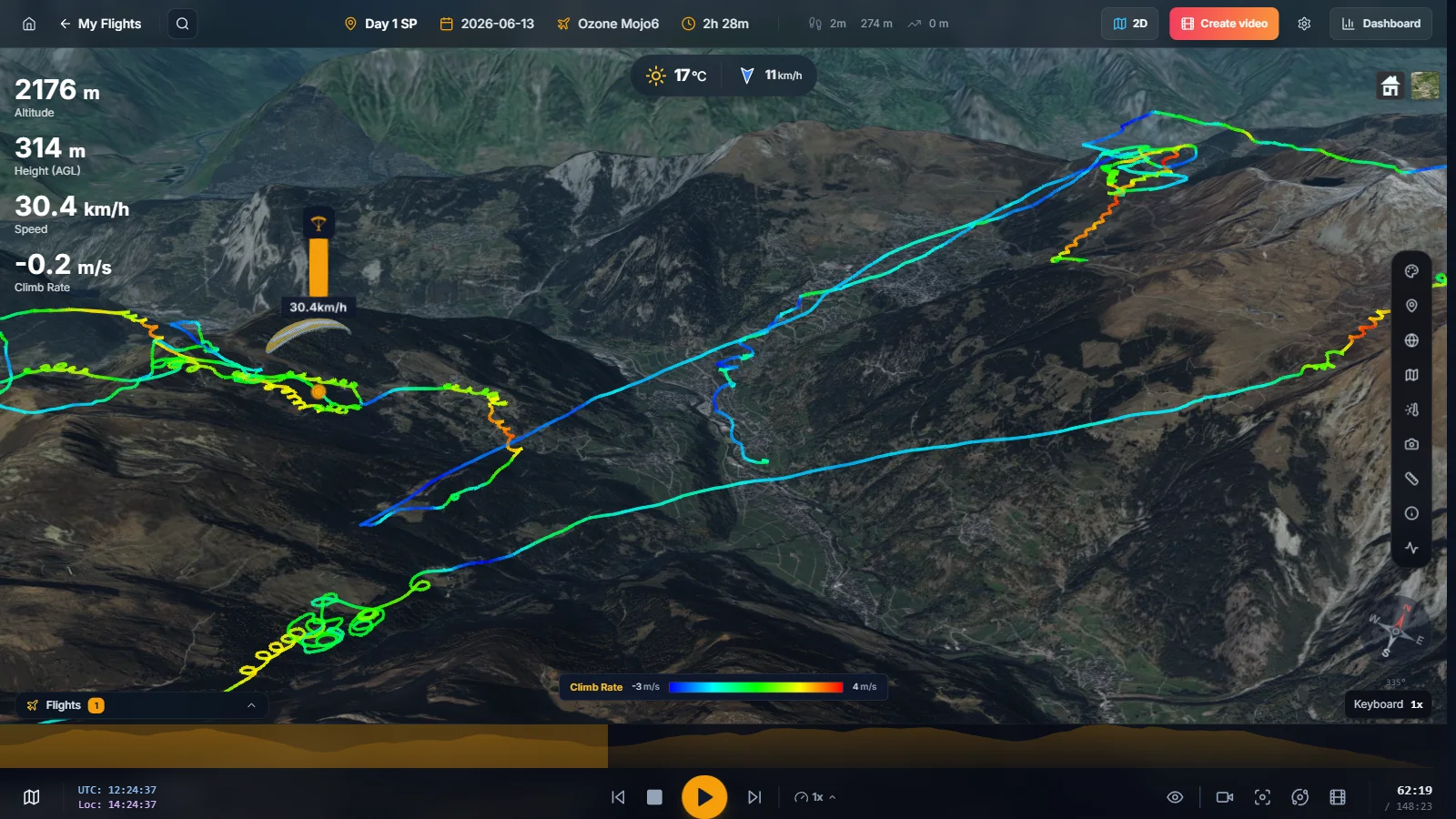
Hover the flight in your logbook and click Open in 3D. Your XCTrack track appears on satellite imagery and real terrain.
Press play to replay it, change the speed, or click the altitude profile to jump straight to a thermal. Switch to the follow camera to fly behind your glider.
- 4
Analyze your climbs and glides
Open the Dashboard to see altitude, speed, climb-rate and glide-ratio charts linked to the 3D view.
With Pro you can color the track by climb rate to find your best cores, overlay the kk7 thermal map and turn the flight into a 3D video to share.
Frequently asked questions
Where does XCTrack save IGC files?
On the phone storage, in Android/data/org.xcontest.XCTrack/files/Tracklogs. If your file manager cannot open that folder, copy the files over USB from a computer, or download the IGC from your flight page on XContest after uploading it from XCTrack.
Can I open my XCTrack flight directly on my phone?
Yes. XCviewer runs in the mobile browser: open xcviewer.org, sign in and upload the IGC file from your phone storage. You can add XCviewer to your home screen to use it like an app.
Does it replace XContest?
No. XContest remains the place to declare and score your flights. XCviewer is complementary: it gives you a 3D replay, detailed charts, flight comparison and videos from the same IGC file.
Does it work with other varios and flight apps?
Yes. Any device that records an IGC file works, for example Skytraxx, Flymaster, Syride, Naviter Oudie and SeeYou Navigator, FlySkyHy or BurnAir. GPX and KML tracks are supported too.
Is it free?
Yes. 3D replay, flight analytics and the XC route planner are free, and the free plan stores up to 2 flights. Pro adds an unlimited logbook, flight comparison, the kk7 thermal map and video export.